Creating an AI model face
Build an expressive AI influencer face: blending references in Nano Banana Pro, niche archetypes, and distinctive details.
How we compared
One reference set and one “keep the face” prompt on Nano Banana Pro, 2, and GPT Image 2. We scored identity lock for a series, not a one-off pretty frame.
Table: character face
| Model | Realism | Text | References | Price | Speed |
|---|---|---|---|---|---|
| Nano Banana Pro | Best face lock | Not about type | Blend references | Flagship | Hero series |
| Nano Banana 2 | Draft the look | Mid | Up to 14 slots | Cheaper | Shape-finding |
| GPT Image 2 | Detail edits | Stronger briefs | Frame instructions | Check the rate | Surgical fix |
See also
In the previous article we covered how a chosen niche shapes a character's context, aesthetic, and overall universe. Now let's move to the element viewers judge within the first few seconds — the face of your virtual model.
We'll cover how to build an expressive look, which tools to use, and which decisions are best avoided.
Why you shouldn't generate a face entirely from scratch
One of the most common approaches among beginners is to let the neural network invent a character's appearance on its own, with no grounding in real reference photos.
The problem is that the model tends to produce an averaged face. It can look attractive and technically polished, yet it rarely carries distinctive features, character, or recognizability.
That is exactly why so many new AI influencers end up looking alike. The same facial proportions, the same eye shape, lips, nose, and overall style keep repeating.
A far more effective approach is to combine features from several real people. This gives you an appearance that stays natural while looking noticeably more individual.
Having already picked a niche gives you an extra edge here — it helps you decide what character the face should convey and which features will fit the persona.
Tools you'll need
Building a face comes down to three main elements:
- Pinterest — for finding photos and visual references.
- Nano Banana Pro — for merging several people's features into one face.
- A prompt for transferring and blending the face.
Example prompt:
Integrate a face into an existing scene. Substitute the face in the reference image with the face from the donor image. The objective is a seamless merge: the new face must inherit the exact expression, pose, and lighting interaction from the reference, while its color attributes, including hair and eyes, are adapted from the donor for a harmonious and natural result.
Nano Banana Pro is available in NEIRON under Create.
Basic workflow
The process comes down to a few steps.
Step 1. Pick your photos
Find two photos of different women. The faces should be well lit and clearly visible.
Ideally:
- the photos are reasonably high quality;
- the face is not covered by hair, glasses, or hands;
- the angle is close to frontal;
- the lighting lets you make out the shape of the eyes, nose, lips, and cheekbones;
- the expression is not overly exaggerated.
Step 2. Upload the materials
Add both photos to Nano Banana Pro along with the prompt you prepared.
One photo will serve as the base, and the second as the source of additional features.
Step 3. Generate the result
Run the generation and evaluate the resulting look.
Technically, you could move on from here. But without understanding how blending actually works, it's easy to burn through a lot of generations on weak results.
That's why it's worth understanding upfront which references pair well and which features to pull from each person.
How to blend faces correctly
One of the biggest problems shows up when you pick two women who look too similar.
If both models have the same face shape and similar eyes, lips, and nose, the neural network usually smooths out the differences even further. The result is a generic, forgettable face.
Contrasting features work far better.
Look for women with pronounced traits:
- sharp cheekbones;
- a soft baby face;
- an unusual eye shape;
- full lips;
- a distinctive nose shape;
- a noticeable jawline;
- non-standard facial proportions.
Before generating, it's worth deciding in advance what role each reference plays.
For example:
- the first woman sets the base facial structure;
- the second softens the look;
- one shapes a cold, strict character;
- the other adds naivety, warmth, or visual appeal.
The more clearly you know which features you want from each image, the better your odds of creating a memorable character.
How this works in practice
You can see this logic at play in popular virtual models like Muerto.
You could take an Asian-featured woman as the base. That reference immediately sets a recognizable eye shape, facial structure, and overall character.
But if the base look turns out too sharp or narrow in style, you can balance it with a second donor.
A good fit here is a face with:
- a more pronounced baby face;
- rounder proportions;
- a softer jawline;
- full lips;
- less severe cheekbones.
The goal here is to preserve the strengths of the base face. You need to balance the look carefully, not just assemble a random set of separate parts.
A good result reads as cohesive. The features support the chosen image and come across as the natural face of one person.
How niche shapes the face
Your chosen direction shapes not only the model's clothing, content, and setting, but her appearance too.
Every niche has its own visual culture — typical looks, makeup, expressions, face shape, and overall mood for its characters.
Viewers pick up on that aesthetic intuitively, straight from the model's appearance.
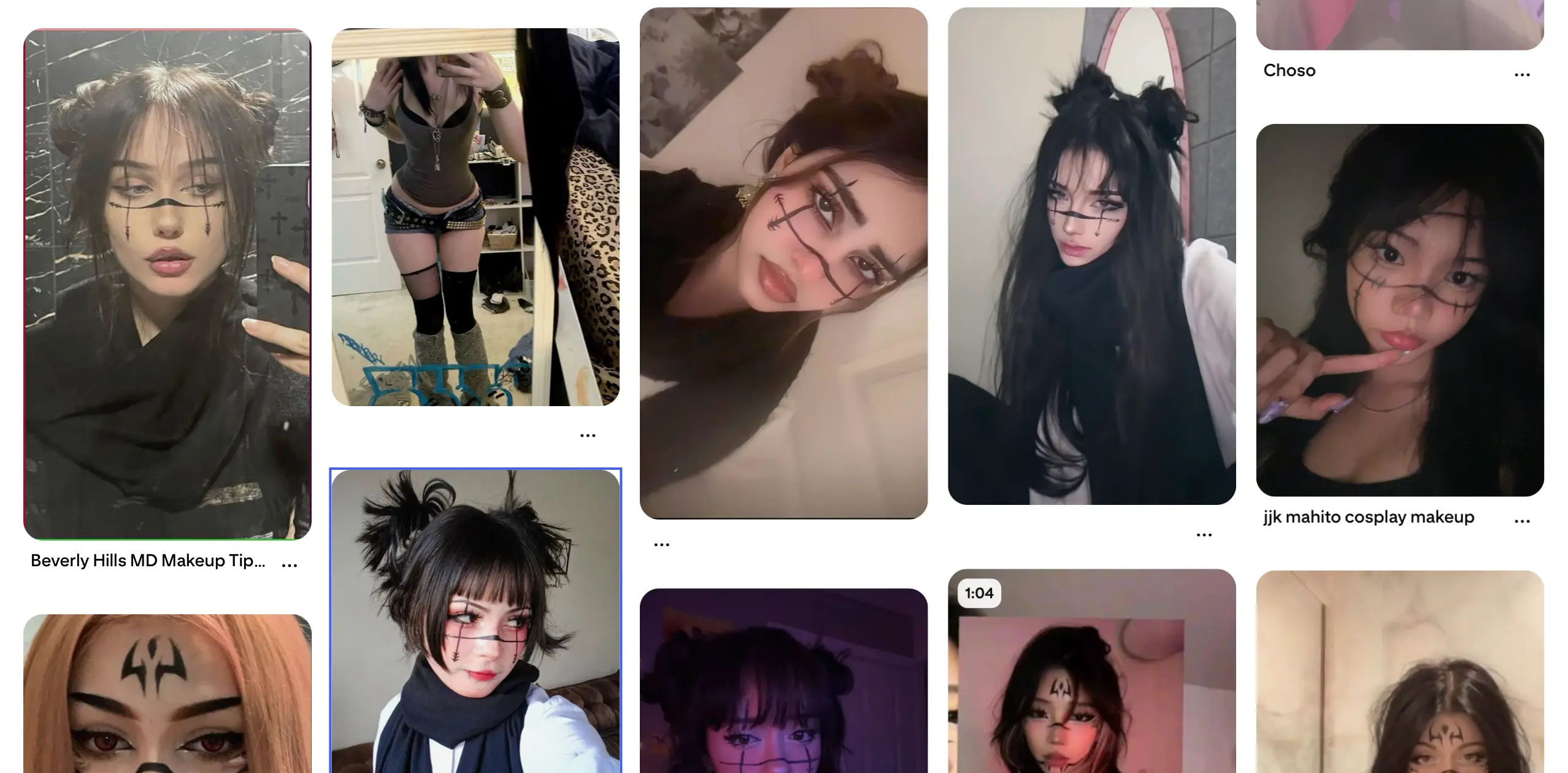
Baby face
Soft, youthful, rounded features tend to fit naturally into directions tied to:
- anime;
- cosplay;
- game characters;
- movies;
- TV shows;
- cute, romanticized aesthetics.
This kind of face works well for personas where emotion, naivety, and visual closeness to fictional characters matter.
Strong face
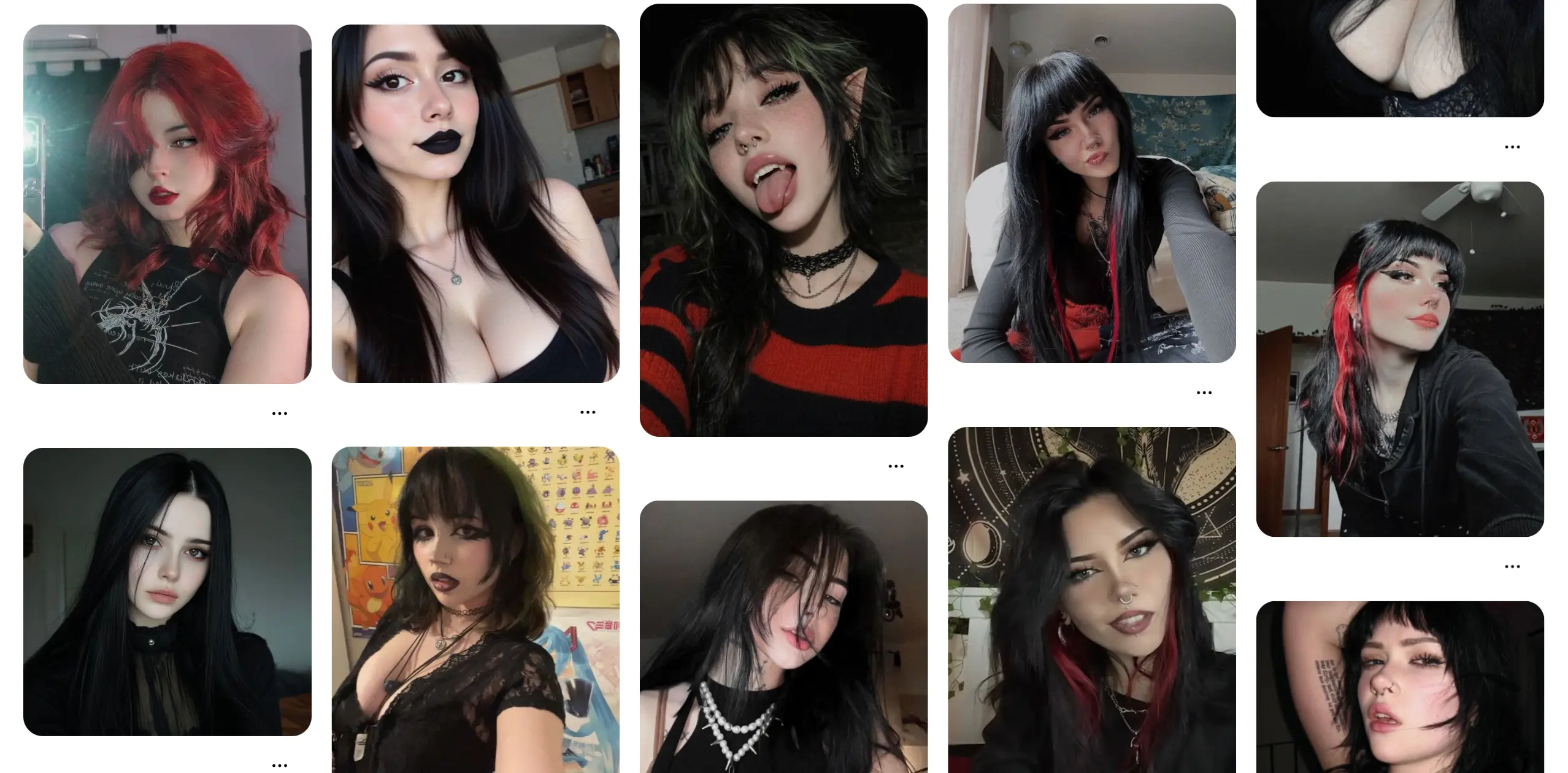
Sharper cheekbones, a pronounced jawline, and angular features suit:
- goth aesthetics;
- alt style;
- dark fashion;
- a cold, unapproachable persona;
- provocative content.
This type reads as powerful, distant, and full of character.
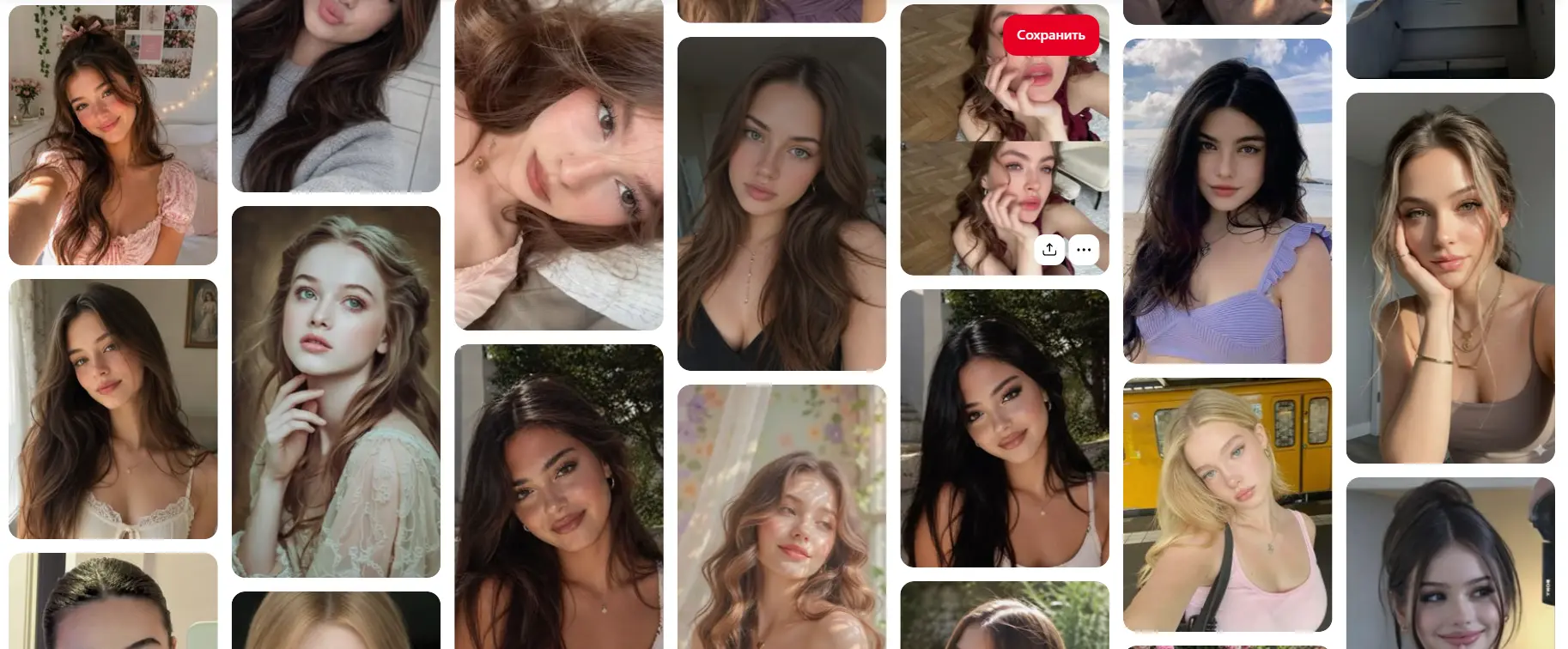
Soft or romantic face
Soft, harmonious, more classic features pair well with:
- UGC content;
- fashion;
- luxury lifestyle;
- cosmetics;
- jewelry;
- ad creatives;
- everyday lifestyle scenarios.
This look reads as universal, aesthetically pleasing, and commercially attractive.
Use your niche as a search anchor
Your niche should be the main guide when picking references.
Searching for merely pretty women isn't enough. It's better to add the specific direction straight into your search queries:
- anime girl;
- goth model;
- luxury fashion girl;
- female gamer;
- alt girl;
- cosplay model;
- romantic fashion portrait;
- female streamer.
This way you'll find faces that already carry the right aesthetic and match your future content.
From there you can pick out the most interesting features, combine different types, and test several variants.
An extra distinguishing feature
Even a well-blended face can become more recognizable with one small visual detail.
Good options include:
- a mole;
- a small birthmark;
- a scar;
- an unusual eyebrow shape;
- asymmetry;
- contrasting eye color;
- a distinctive strand of hair;
- a small mark or pattern on the face.
A detail like this helps viewers remember the character faster and tell her apart from other AI models.
That said, pick a feature that won't get in the way of future generations and won't force you to keep re-editing the character's entire body.
A practical hypothesis
Find photos of a few women of different ethnicities, all visually connected to the anime-girl aesthetic. Pick one model with striking eye shape, a second with a soft baby face, and use a third purely as a source of individual features — the lips or nose shape, for example.
After blending in Nano Banana Pro add a small mole or birthmark as a permanent distinguishing detail.
This approach lets you get, all at once:
- a recognizable appearance;
- a clear tie to the chosen niche;
- natural proportions;
- the ability to use different generation methods;
- an extra visual trigger.
Takeaway
A great AI model's face isn't the product of random generation — it's built through deliberate selection and combination of references.
Start by defining the niche and the character's personality. Then pick several contrasting faces, decide in advance which features you need from each person, and only then move on to blending. The best faces have clear visual logic: an understandable base, controlled accents, and one or a few memorable details.
In the next article we'll cover how to move from a static look to a full video with your AI model.
Subscribe to our Telegram channel.
Build your AI model's face in Nano Banana Pro
Blend references, test features, and put together a recognizable look — no VPN required.
Create